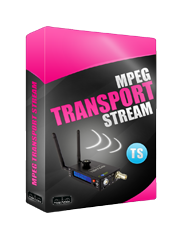
MPEG Transport Stream
Couldn't load pickup availability
Please Note: Licenses Are Non-Refundable and Non-transferable
License activation key is e-mailed to the Customer. You will not be charged for shipping.
Create a MPEG-TS over IP (TCP or UDP) video stream that is compatible with television broadcast equipment and IPTV set-top boxes. Compatible with all Cube™ Encoders.
How Do I Get the License?
If you have purchased a Cube Encoder (Models: 105,155, 205, 255, 505, 555, 605, 655, 705, 755) previously, place the Cube serial number in the notes section of your order and we will generate the license activation key and e-mail it to you. We will pre-install the license if your order includes a Cube and a License.
Note for Cube Decoders (305,355,405,455) there is no need for this license.
How Do I Install This License? (Not For Cube's that Come Pre-Installed With the license)
To install the license, go to System -> Licenses on the Cube's web UI. Paste the license activation key into the "add a new key" field, and click the '+' button.
Once installed, you will need to reboot the system. After you reboot, you will find the MPEG Transport Stream License under Video Setup -> Stream Settings on the Cube web UI.
If the license is pre-installed on your Cube, you will see the MPEG Transport Stream option under the Video Setup menu.
Need Setup Help?
See How to Install Licenses and MPEG-TS Basic Setup
- - - - - - - - - - - - - - - - - - - - - - - - - - - - - - - - - - - - - - - - - - - - - - - - - - - - - - - - - - - - - - - - - - - - - - - - - - -
MPEG-TS over IP (TCP or UDP). For more information Click Here.